How to grow email marketing opt-ins for Shopify, Klaviyo, and Mailchimp
A practical guide to consent, re-permission, and list hygiene—what Klaviyo and Mailchimp recommend, what merchants do in practice, and how Flexsee reads opt-in.
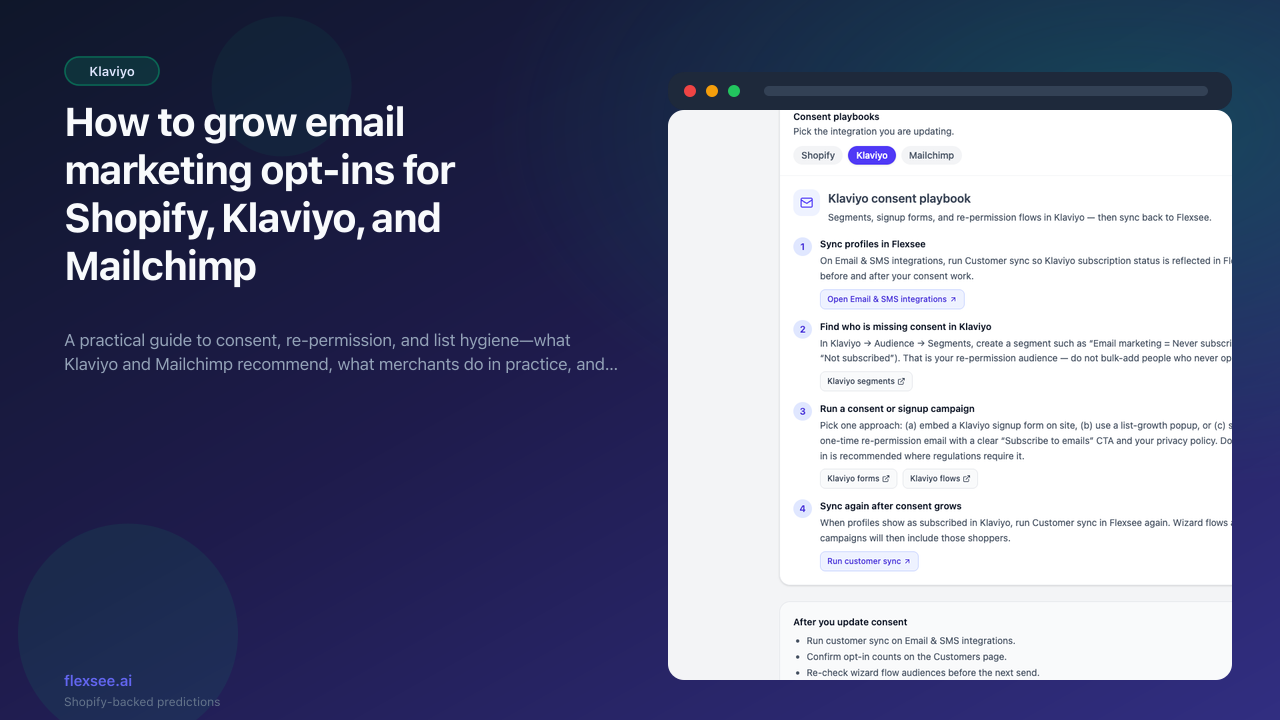
Email revenue depends on who you are allowed to message. If your store has thousands of customer emails but only a fraction opted in to marketing, every campaign and wizard flow silently skips the rest. That gap is normal after years of checkout-only capture, legacy imports, or ESP migrations—but it is fixable without bulk-subscribing people in Flexsee or your ESP.
This guide explains what counts as marketing consent, how Shopify, Klaviyo, and Mailchimp each handle it, patterns other merchants use (including Klaviyo community threads), and how Flexsee enforces opt-in when you send AI recommendation emails.
For the short in-dashboard playbook with deep links, use Grow email marketing opt-ins in the Flexsee app.
What you’ll accomplish
- A clear definition of proof of consent for promotional email
- A Shopify checkout setup that captures opt-in correctly (unchecked by default where required)
- Klaviyo and Mailchimp playbooks for segments, forms, and re-permission—aligned with official docs
- Awareness of how other platforms (Omnisend, Attentive, etc.) approach the same problem
- A sync checklist so Flexsee customer counts match your ESP
Prerequisites
Before you begin, make sure you have:
- A Shopify store as your commerce source of truth for buyers
- Klaviyo and/or Mailchimp for email (transactional Mailchimp uses Mandrill separately)
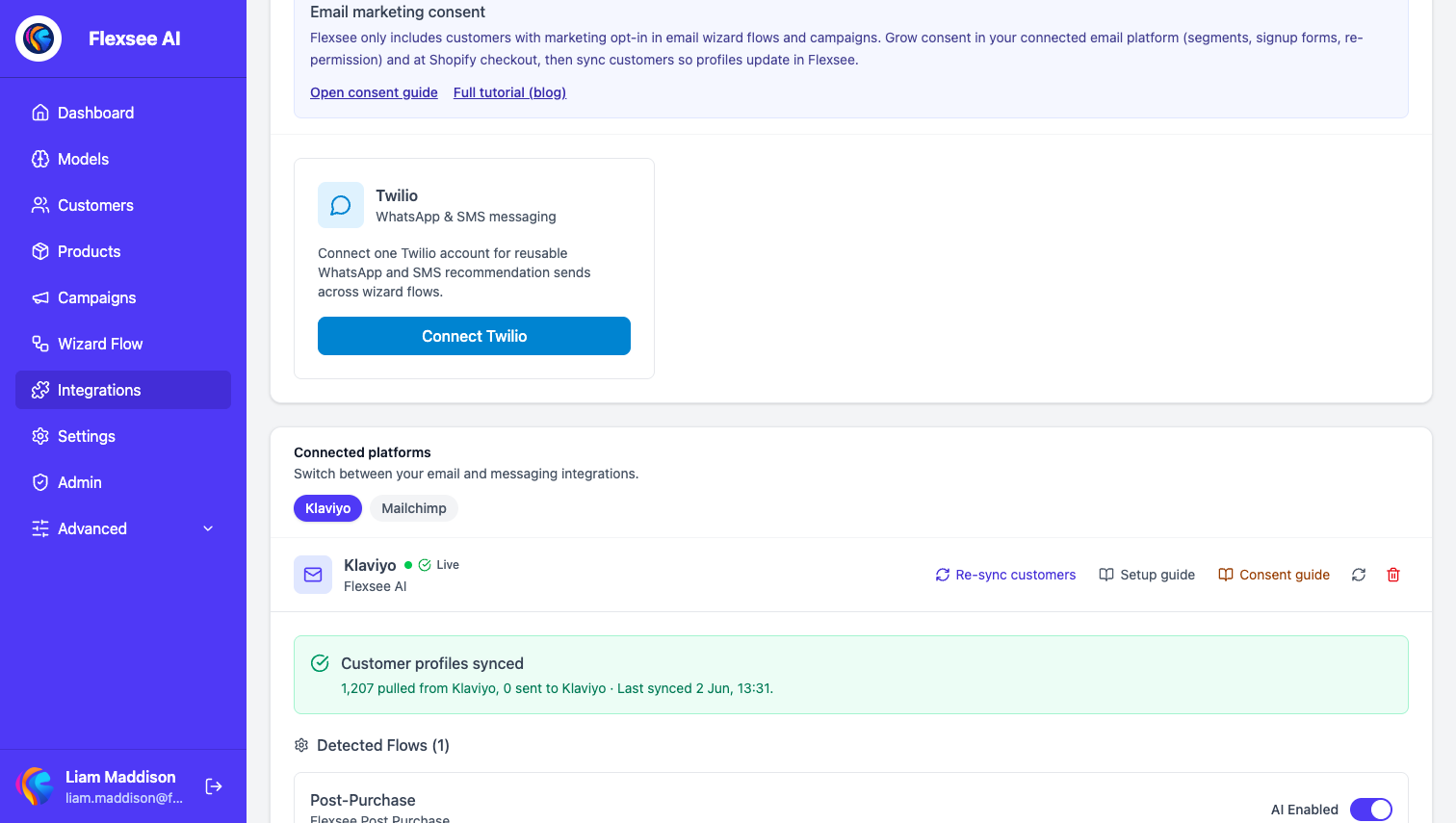
- A Flexsee account with Shopify connected and your email integration on Integrations → Email & SMS
Flexsee does not bulk-subscribe customers on your behalf. Consent must be collected in Shopify or your ESP, then reflected via sync.
What counts as proof of consent
Promotional email needs a defensible basis—usually explicit opt-in:
| Source | Usually valid for marketing? |
|---|---|
| Checkout marketing checkbox (clear label, not pre-checked where law requires) | Yes, when the customer actively ticks it |
| ESP signup form or popup (single or double opt-in) | Yes, with timestamp and method recorded |
| Re-permission email with a clear “Subscribe” action | Yes, for contacts who confirm |
| Email from a past order only (no marketing checkbox) | No — transactional contact ≠ marketing consent |
| Purchased or scraped lists marked “subscribed” | No |
GDPR-oriented guidance and Mailchimp’s GDPR forms both stress affirmative action, clear wording, and records of what the subscriber agreed to. Re-permission best practices recommend refreshing consent when records are incomplete or lists are old—then removing contacts who do not respond.
In Flexsee, wizard flows and campaign sends include profiles that show marketing opt-in after sync—typically from Shopify accepts_marketing / email marketing consent and, for Klaviyo, profile subscription status after customer sync.
Step 1 — Fix Shopify checkout opt-in
Shopify is the hinge for most Flexsee merchants: checkout and account settings define whether new buyers are subscribed in Shopify, which downstream systems (including Flexsee) can read after sync.
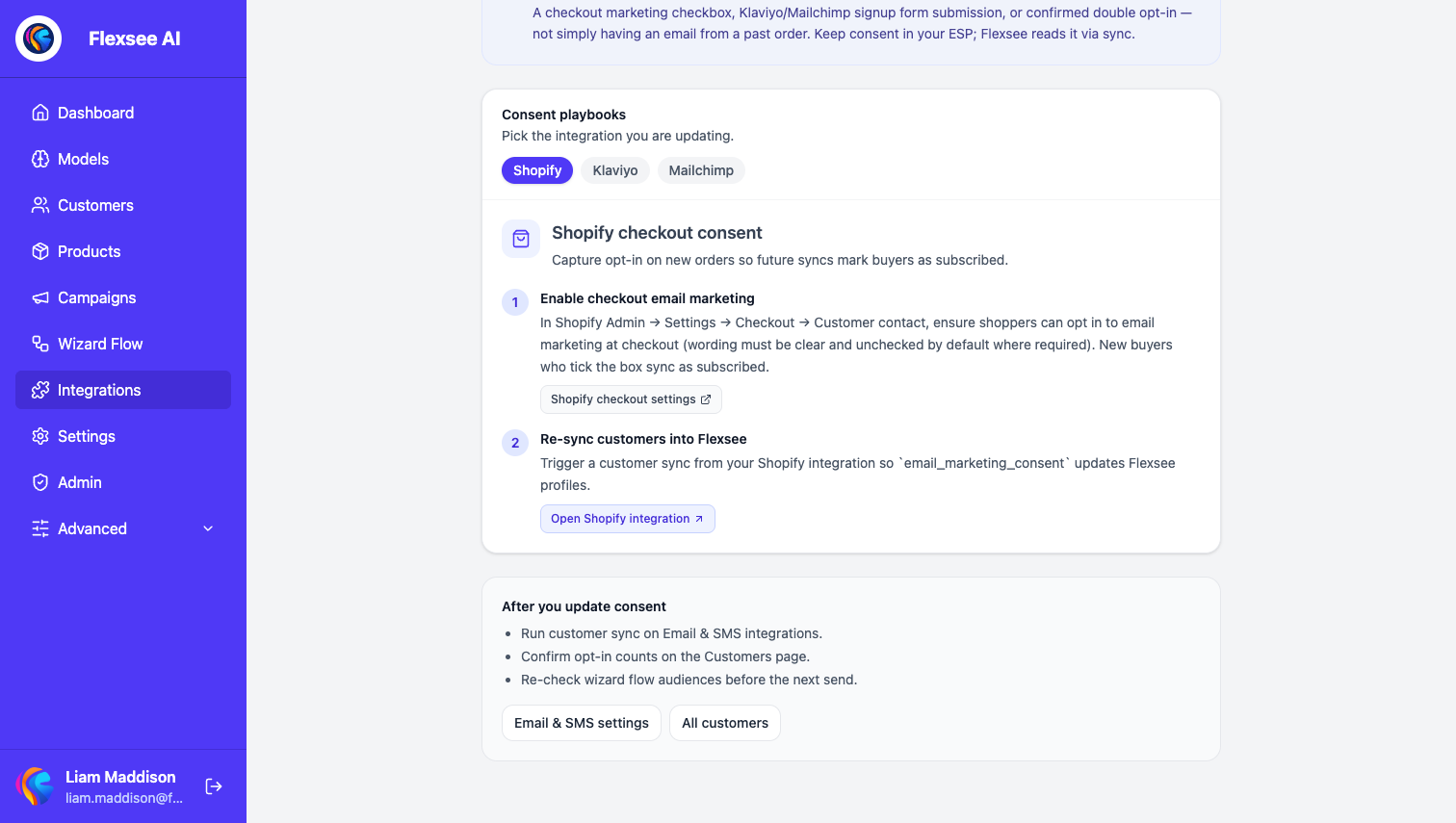
- In Shopify Admin → Settings → Checkout → Customer contact, enable email marketing opt-in at checkout with copy that states what they are signing up for (Shopify: collecting customer contact information).
- Do not pre-check the marketing box by default. Klaviyo’s Shopify sync guide warns that pre-selected boxes create passive subscribers, hurt engagement, and damage deliverability.
- Optionally enable double opt-in in checkout settings where your market requires it—subscribers confirm via email before they count as fully opted in.
- In Flexsee, open Integrations → Datasources → Shopify and run a customer sync after changing checkout settings.
Common merchant confusion: Shopify may show “Accepts marketing = true” while Klaviyo still shows Never subscribed until list sync, double opt-in confirmation, or Klaviyo list settings catch up (Klaviyo Community discussion). Treat ESP subscription status and Shopify marketing flags as related but not identical—sync and segment on the channel you send from.
Step 2 — Klaviyo playbook (segments, flows, re-permission)
Klaviyo separates suppression (cannot email) from consent (never subscribed vs subscribed vs unsubscribed). See Understanding consent in profiles.
Build a “not opted in” segment
Official definition from How to create a not-opted-in segment:
- Cannot receive email marketing, or
- Can receive email marketing because person → never subscribed
Use this segment for re-permission only—not for blasting promotions. For campaigns, add the segment under Don’t send to so opted-out and never-subscribed profiles are excluded by default (clone campaigns to keep that exclusion).
Re-permission and list growth tactics merchants use
Patterns that show up repeatedly in Klaviyo help docs and community posts:
- Signup forms and popups on site (Klaviyo forms) with unchecked marketing consent where required.
- One-time re-permission campaign to the not-opted-in segment: explain who you are, link to a subscribe CTA, link to privacy policy—no unrelated promotions in the same send.
- Flows for transactional paths — Community guidance (Cleaning suppression) notes that Never subscribed profiles may still receive transactional or legitimate-interest messages (e.g. abandoned checkout) while promotional campaigns should stay consent-filtered. Do not suppress “never subscribed” blindly if you rely on cart/checkout flows—instead segment promotional sends.
- EU / UK filters on promotional flows: only consented profiles, per GDPR-compliant consent collection.
Sync back to Flexsee
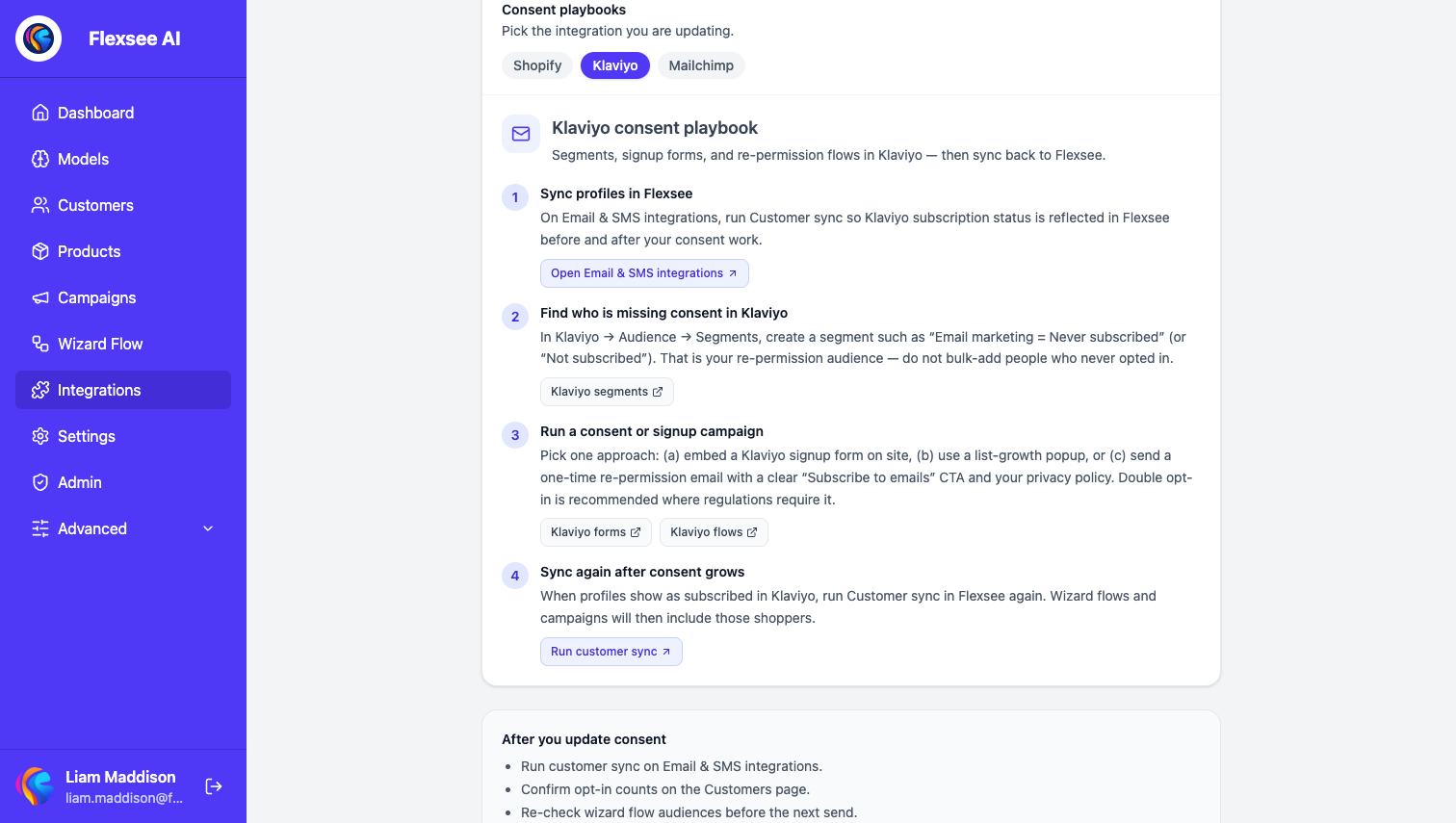
On Integrations → Email & SMS → Klaviyo, run Re-sync customers after consent work. Flexsee pulls Klaviyo subscription context so wizard audiences and opt-in counts update. See also How to add AI recommendations to Klaviyo for the full send setup.
Step 3 — Mailchimp playbook (audience, forms, Shopify)
Flexsee sends recommendation email through Mailchimp Transactional (Mandrill) for wizard flows; marketing opt-in on each profile still gates whether Flexsee includes that person in promotional audiences—often sourced from Shopify after customer sync, not a full bi-directional Mailchimp profile sync today.
Mailchimp-focused steps:
- In Audience, segment or tag contacts who are not subscribed to marketing email (Mailchimp audience).
- Use signup forms, embedded forms, or a one-time consent email with a link to a GDPR-friendly signup form—Mailchimp documents collecting fresh consent from existing contacts and bulk-unsubscribing those who do not opt in.
- Align Shopify checkout opt-in (Step 1) and refresh Shopify customers in Flexsee so
accepts_marketingupdates. - Avoid importing old lists as “subscribed” without proof—third-party GDPR summaries describe reactivation campaigns with a prominent “Yes, stay subscribed” button and removal of non-responders.
How other platforms approach consent (short comparison)
Merchants on other ESPs hit the same constraints; tactics rhyme even when UI differs:
| Platform | Typical consent model | Re-permission pattern |
|---|---|---|
| Klaviyo | Subscribed / unsubscribed / never subscribed per channel | Not-opted-in segment + don’t-send-to + forms |
| Mailchimp | Marketing permissions + GDPR fields on forms | Consent email → GDPR form → permission segments |
| Omnisend | Contact status + consent flags synced from Shopify | Segments for “non-subscribed” + popup/checkout |
| Attentive | Express written consent for SMS; email often parallel | Separate SMS vs email consent; strict opt-in for texts |
| Braze / Iterable | Subscription groups per channel | Preference centers and subscription group APIs |
Flexsee is ESP-agnostic for enforcement: once profiles show opted-in in Flexsee (via Shopify and, for Klaviyo, customer sync), sends proceed; otherwise recipients are skipped.
Step 4 — Measure and verify in Flexsee
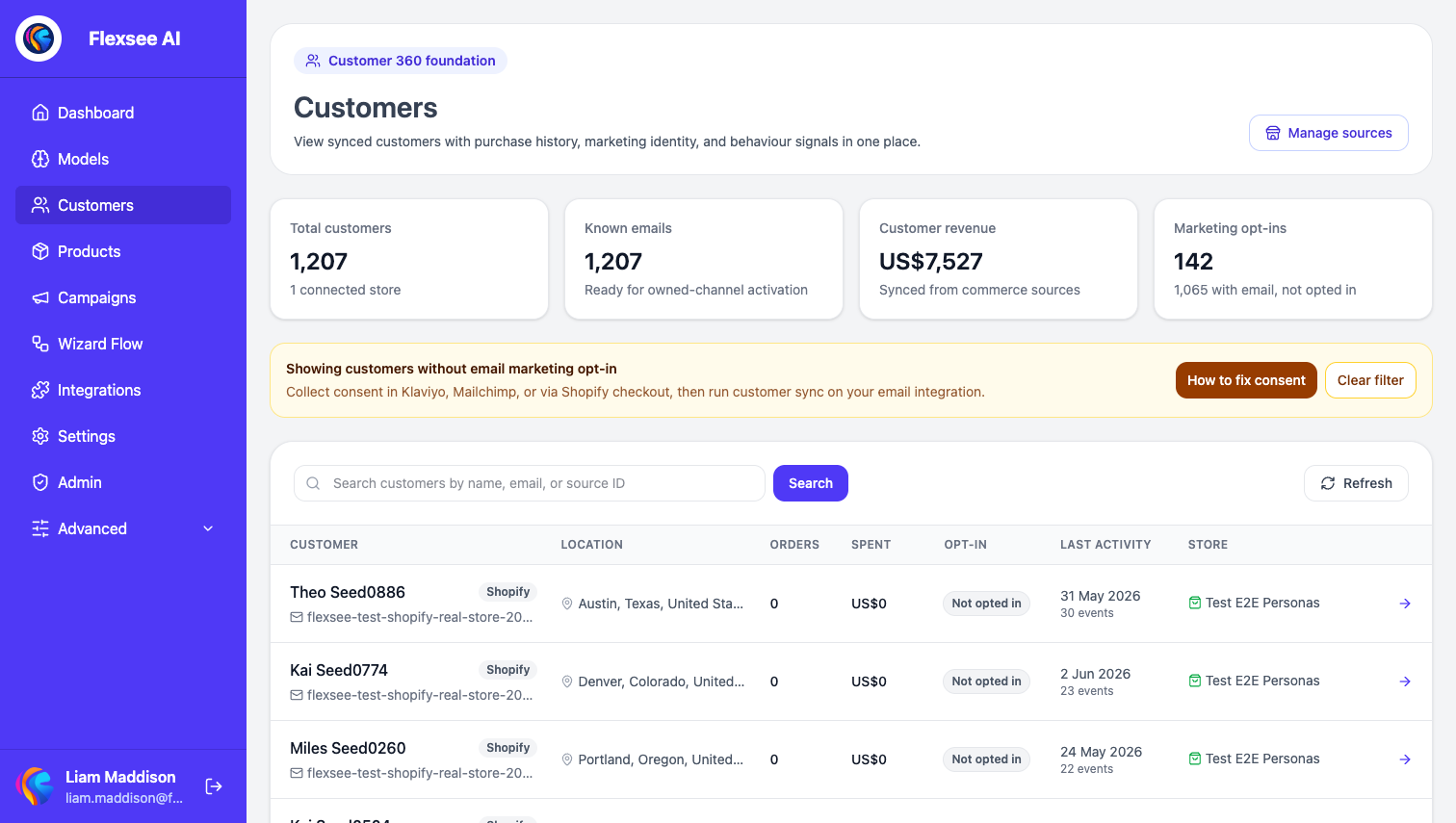
- Open Customers and compare known emails vs marketing opt-ins.
- Filter customers without opt-in to inspect gaps.
- Use the dashboard action Grow email marketing opt-ins or Integrations → Email & SMS → Email consent guide for tabbed Shopify / Klaviyo / Mailchimp steps.
- Before a large wizard send, re-run customer sync and confirm the audience size moved in the right direction.
Troubleshooting
Klaviyo shows “Never subscribed” but Shopify says subscribed
Confirm Klaviyo Shopify subscriber sync is enabled, list/double opt-in settings, and run Flexsee Re-sync customers. See sync Shopify email subscribers.
Opt-in count in Flexsee did not move after a campaign
Flexsee counts reflect synced profile fields, not real-time ESP webhooks for every consent change. Sync Shopify and Klaviyo again after ESP updates.
High unsubscribe rate after a “consent” blast
Audience may have included never subscribed or purchased emails. Narrow to a true not-opted-in segment and use a dedicated re-permission template, not a sales promotion.
Frequently asked questions
Can Flexsee subscribe customers for me?
No. Flexsee reads consent from connected systems; you grow opt-in in Shopify and your ESP.
Is abandoned-cart email the same as marketing consent?
Often no for promotional mail. Klaviyo allows careful use of flows for checkout abandonment; broad campaigns still need subscribed or equivalent consent. Segment accordingly.
Do I need re-permission for my whole list?
Only where original consent is unclear (pre-GDPR opt-out lists, imports, inactive 12–24 months). Documented opt-in with timestamps may not need a full re-permission wave—ask legal counsel for your jurisdiction.
See also
- Product update: Canonical customer profiles across Shopify and Klaviyo — one customer record in Flexsee with synced opt-in state for campaign eligibility.
- Product update: Customer profile editing and consent visibility — edit contact details and review Shopify vs Klaviyo consent before you send.
Conclusion
Growing opt-ins is list hygiene, not a one-click fix: clear Shopify checkout, ESP segments for non-subscribers, forms and re-permission instead of cold promotions, then sync so Flexsee and your sends see the same truth. Klaviyo’s not-opted-in segment and Mailchimp’s GDPR consent tools are the authoritative starting points; merchant community threads add practical nuance on suppression vs never-subscribed flows.
Next steps
- In-app consent playbooks (Shopify, Klaviyo, Mailchimp tabs)
- How to add AI product recommendations to Klaviyo
- Klaviyo email campaign docs
- Email marketing consent (Flexsee docs)
- Get started free — questions: hello@flexsee.ai
Further reading (external)
- Klaviyo: How to create a not-opted-in segment
- Klaviyo: Understanding consent in profiles
- Klaviyo: GDPR-compliant consent
- Klaviyo Community: Cleaning suppression / never subscribed
- Mailchimp: Collect consent with GDPR forms
- Shopify: Collecting customer contact information
- Usercentrics: GDPR re-permissioning
Comments