Meta lookalike audience prep in Wizard Flow
Prepare Meta custom and lookalike audiences from Shopify predictions before you publish — seed quality checks, country, and ratio saved on the flow.
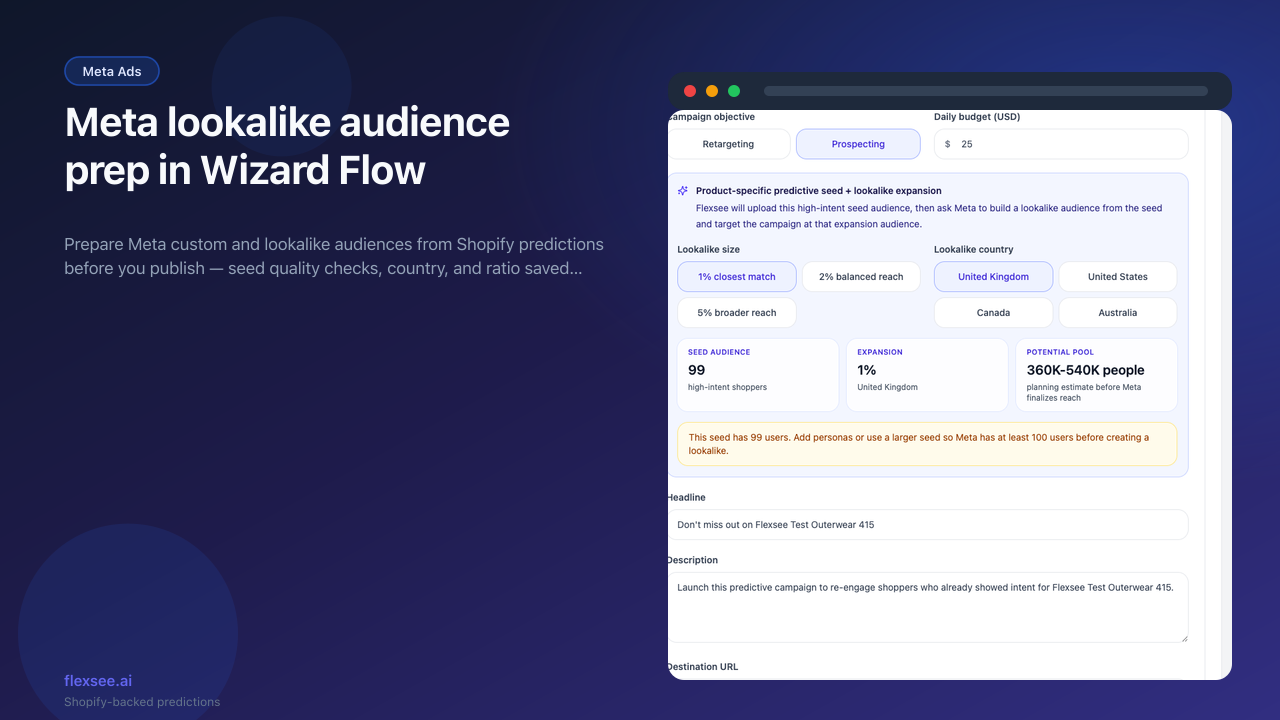
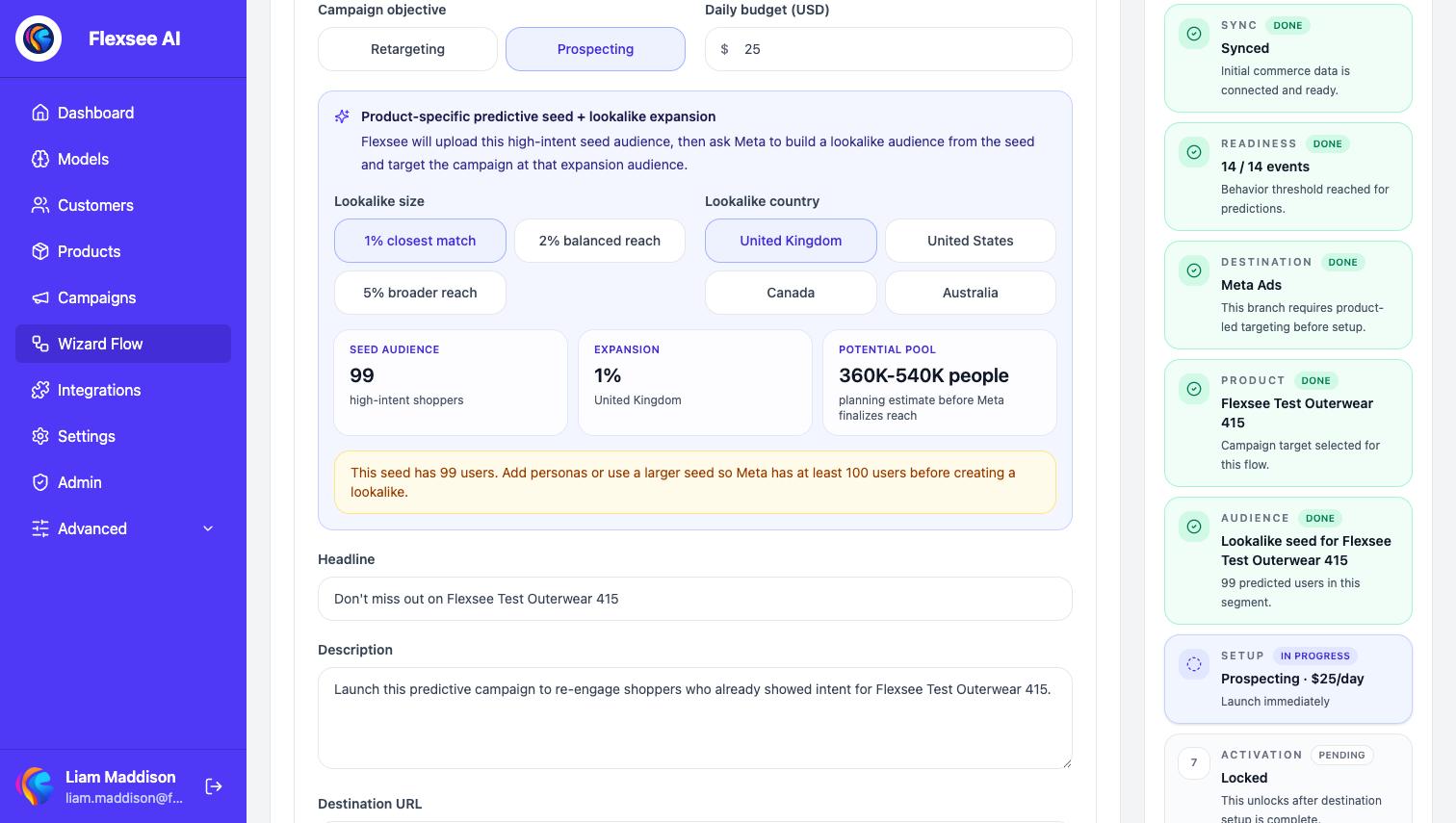
Wizard Flow can now prepare Meta audiences from Shopify predictions before you publish a campaign. Choose retargeting or prospecting, set lookalike ratio and country, and Flexsee uploads a hashed seed to Meta when you activate the flow.
What’s new
- Audience prep step in Wizard Flow for Meta Ads destinations — custom audience for retargeting, lookalike for prospecting
- Seed-size warnings when predicted high-intent shoppers are below Meta’s recommended minimum
- Flow persistence — lookalike ratio, country, and audience IDs are saved on the wizard flow for idempotent re-runs
How to use it
- Connect Shopify and Meta Ads, then open Wizard Flow with a Meta destination.
- On the audience step, pick Retargeting (custom audience) or Prospecting (lookalike from your predictive seed).
- Complete review and activation — Flexsee creates or reuses the prepared audience and attaches it to the published campaign.
Learn more
Documentation
Setup guides
Frequently asked questions
Does Flexsee create the lookalike audience in Meta?
On prospecting flows, yes — Flexsee uploads a hashed seed and creates or reuses the lookalike when you activate Wizard Flow. Retargeting flows prepare a custom audience instead.
What happens if my seed is too small?
Wizard Flow shows seed-size warnings when predicted high-intent shoppers fall below Meta’s minimum (100 people). Widen the segment or wait for more order history before publishing.
Can I change lookalike ratio after saving the flow?
Ratio and country persist on the wizard flow. Update them on the audience step before re-activating — Flexsee reuses or refreshes audiences idempotently.
Questions? hello@flexsee.ai
Comments